




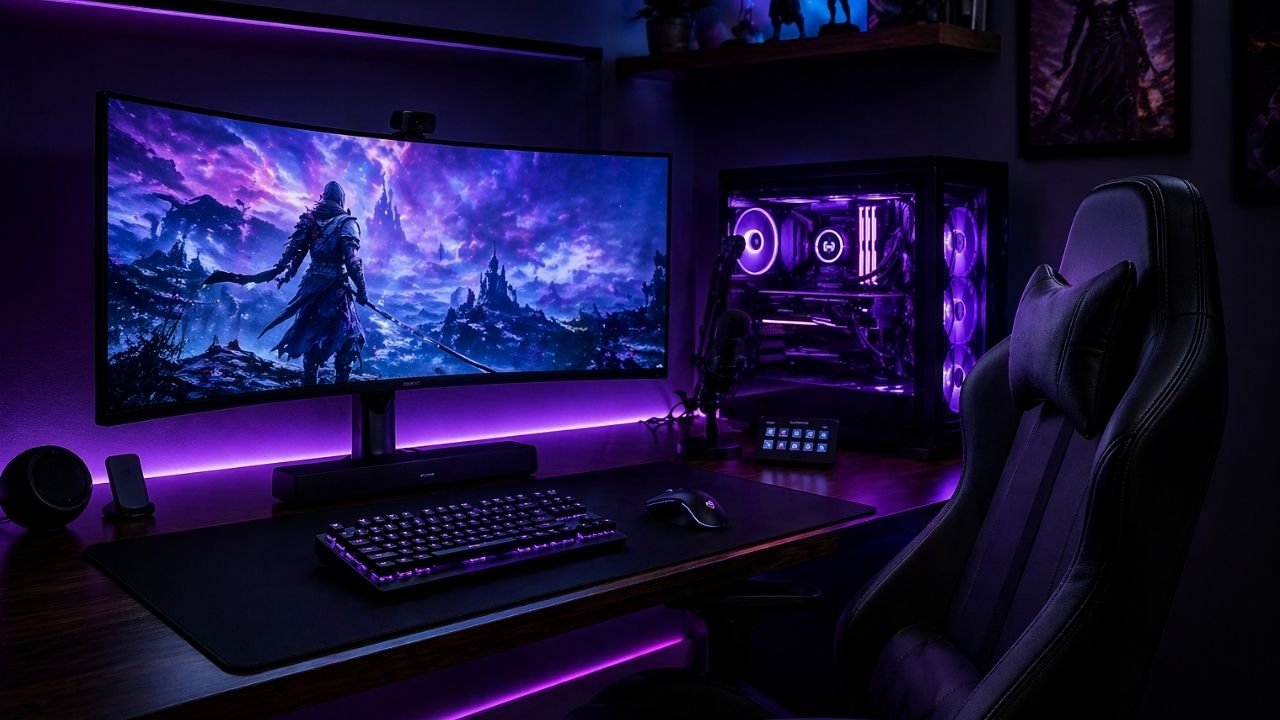
If you are searching for the best gaming setup in 2026, you have come to the right place. Whether you are a beginner gamer or a professional streamer, having the right gaming setup makes a huge difference in your performance and comfort. Gaming setups have evolved fast, and 2026 is all about personalization, atmosphere, and smart design. In this complete guide, we will walk you through everything you need to build the perfect setup — from desk and chair to lighting and accessories — all in one place.
What Makes the Best Gaming Setup in 2026
Before buying anything, you need to understand what a perfect setup actually needs. The key elements include the speed of your processor, the power of your graphics card, monitor quality, peripheral devices, and storage space.
The best gaming setup in 2026 includes these 7 essentials:
- Gaming Desk
- Gaming Chair
- Gaming Monitor
- Keyboard and Mouse
- Headset
- Lighting
- Cable Management
Let us go through each one in detail.
Best Gaming Desk for Your Setup
Your desk is the foundation of any best gaming setup. Aim for a desk depth of 27 to 30 inches. That gives you a comfortable arm’s length distance to your monitor and space for your keyboard and mouse. Your elbow should bend at roughly 90 degrees, with the top of your screen sitting at or just below eye level.
Top Gaming Desks in 2026:
| Desk | Price | Best For |
|---|---|---|
| Secretlab MAGNUS Pro XL | $400+ | Premium setups |
| Homall Gaming Desk | $80 | Budget setups |
| Bestier L-Shaped Desk | $120 | Small rooms |
| IKEA LINNMON | $50 | Beginners |
What to look for in a gaming desk:
- Enough space for monitor, keyboard, and mouse
- Built-in cable management holes
- Sturdy material — MDF or metal
- At least 120cm wide for single monitor setup
Best Gaming Chair for Long Sessions
A good gaming chair is one of the most important parts of the best gaming setup. Your elbows should be level with your desk and close to your body. Your shoulders should be relaxed, your lower back should be supported, and your monitor should be positioned so you do not have to tilt your head up.
Top Gaming Chairs in 2026:
| Chair | Price | Best For |
|---|---|---|
| Secretlab Titan Evo | $400 | Premium comfort |
| AutoFull G7 | $250 | Ergonomic support |
| GTRacing Pro Series | $110 | Mid-budget |
| Homall Gaming Chair | $90 | Beginners |
What to look for in a gaming chair:
- Lumbar support for lower back
- Adjustable armrests — 4D is best
- Reclining feature for breaks
- Breathable material for long sessions
💡 Pro Tip: Even small shifts throughout your gaming session make a big difference for your body — always buy a chair that allows movement.
Best Gaming Monitor Setup
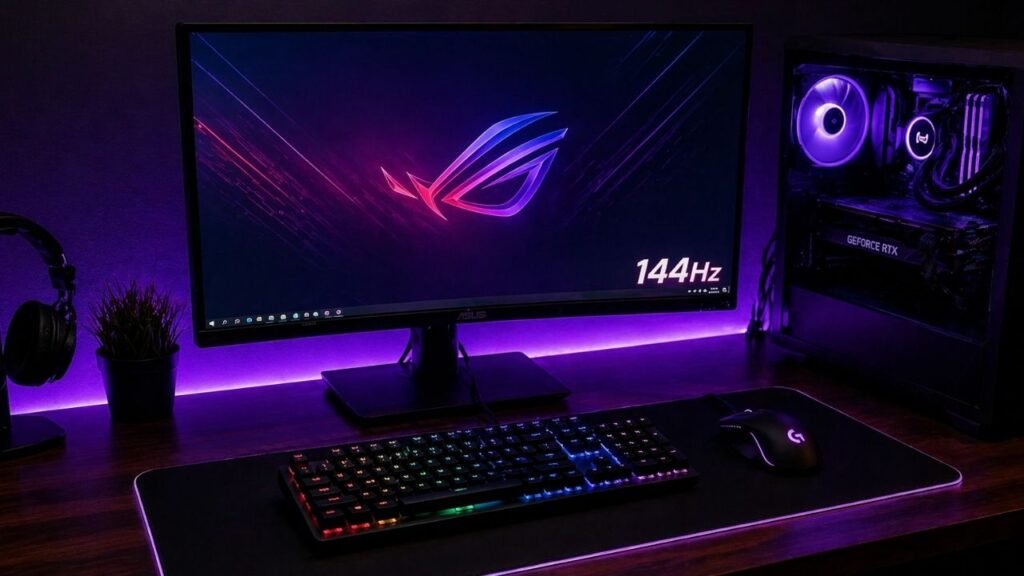
Your monitor is the window to your gaming world. Choosing the right monitor is critical for the best gaming setup experience.
Many serious gamers use dual or even triple monitor setups. The main monitor should be at least 24 to 27 inches with a high refresh rate for smooth visuals. Secondary monitors are useful for streaming, chatting, and watching stats. Curved monitors can enhance immersion, especially for games with a wide field of view.
Recommended Monitor Specs for 2026:
| Spec | Minimum | Recommended |
|---|---|---|
| Screen Size | 24 inch | 27 inch |
| Refresh Rate | 144Hz | 165Hz or higher |
| Resolution | 1080p | 1440p |
| Response Time | 5ms | 1ms |
Best Budget Monitors 2026:
- AOC 24G2 — 144Hz, 1080p, under $150
- ViewSonic VX2418 — great colors, $130
- LG UltraGear 27 — best mid-range option
Best Gaming Keyboard and Mouse
No best gaming setup is complete without the right keyboard and mouse. These are the tools you use every single second while gaming — so choose wisely.
Best Gaming Keyboards 2026:
- Redragon K552 — mechanical feel, under $40
- Logitech G213 — quiet and comfortable, $50
- HyperX Alloy Origins — premium typing feel, $90
Best Gaming Mouse 2026:
- Logitech G203 — perfect for beginners, $30
- Razer DeathAdder V3 — most popular choice, $70
- SteelSeries Rival 3 — great budget option, $35
What to look for:
- Keyboard: Mechanical switches for better response
- Mouse: At least 16,000 DPI for accuracy
- Both should feel comfortable in your hands
Best Gaming Headset for Your Setup
A great headset completes the best gaming setup experience. You need clear sound to hear your enemies and communicate with teammates.
Best Gaming Headsets 2026:
| Headset | Price | Best For |
|---|---|---|
| SteelSeries Arctis Nova Pro | $250 | Premium audio |
| HyperX Cloud Stinger | $50 | Beginners |
| Logitech G432 | $70 | Surround sound |
| Astro A10 | $60 | Durability |
What to look for:
- Surround sound — hear enemies before you see them
- Noise cancelling microphone
- Comfortable padded ear cups
- Compatible with PC and console both
Best Gaming Lighting Ideas
Lighting is what separates a good gaming setup from an AMAZING best gaming setup. LED lights instantly transform any room into a professional gaming space.
Best Budget Lighting Options 2026:
- Govee LED Strip Lights — $15, app controlled
- Daybetter LED Strips — $12, easy to install
- Philips Hue Play Bar — $40, best quality
- TP-Link Tapo Smart Bulb — $12, color changing
Where to place LED lights:
- Behind your monitor — reduces eye strain
- Under your desk — cool glow effect
- Along ceiling edges — room ambiance
- Behind TV or bookshelf
💡 Pro Tip: Stick to ONE color theme — purple, blue, or red — for a professional looking best gaming setup!
Cable Management — The Secret to a Clean Setup
Nothing ruins a best gaming setup faster than messy cables. Cable management is cheap but makes a huge visual difference.
Must have cable management items:
- Velcro cable ties — $3
- Cable clips — $5
- Cable sleeves — $8
- Under desk cable tray — $15
Simple steps:
- Bundle all cables with velcro ties
- Run cables along desk edge with clips
- Hide power strip under desk in tray
- Use cable sleeves for PC tower cables
Complete Best Gaming Setup on a Budget 2026
Here is a full gaming setup you can build today without breaking the bank:
| Item | Product | Price |
|---|---|---|
| Desk | IKEA LINNMON | $50 |
| Chair | Homall Gaming Chair | $90 |
| Monitor | AOC 24G2 144Hz | $150 |
| Keyboard | Redragon K552 | $40 |
| Mouse | Logitech G203 | $30 |
| Headset | HyperX Cloud Stinger | $50 |
| LED Lights | Govee LED Strips | $15 |
| Cable Management | Basic Kit | $10 |
| Total | $435 |
Best Gaming Setup Color Themes 2026
Choosing a color scheme and sticking with it is the simplest way to make your best gaming setup look amazing and professional.
Most popular gaming setup themes in 2026:
- 🖤 Black + Purple — dark and moody, most popular
- 🤍 White + Gold — clean minimal aesthetic
- ❤️ Black + Red — classic gamer look
- 💙 Blue + Black — cool and calm
- 🌸 Pink + White — trending for girl gamers
Pick ONE theme and match your desk, chair, lights, and accessories to it!
Final Thoughts
Building the best gaming setup in 2026 does not have to cost a fortune. Start with the essentials — a good desk, chair, and monitor — then add lighting and accessories over time. The most important thing is to start with what you have and upgrade gradually. Your dream perfect setup is closer than you think!
FAQs
What is the most important part of the best gaming setup?
The most important part of the best gaming setup is your monitor and chair. A good monitor gives you smooth visuals and fast response time, while a comfortable chair protects your back during long gaming sessions. Without these two, even the most expensive gaming gear will not perform well. Always invest in these two first before anything else.
How much does a good gaming setup cost in 2026?
A: A good beginner gaming setup in 2026 can cost between $400 to $500. This includes a basic desk, budget gaming chair, 144Hz monitor, keyboard, mouse, and headset. You do not need to spend thousands of dollars to start. Begin with the basics and upgrade each part gradually as your budget increases over time.
What is the best gaming setup for beginners in 2026?
A: The best gaming setup for beginners in 2026 includes an IKEA LINNMON desk, a Homall Gaming Chair, an AOC 24G2 144Hz monitor, a Redragon K552 keyboard, a Logitech G203 mouse, and a HyperX Cloud Stinger headset. This complete setup costs around $435 and gives you everything you need to start gaming comfortably right away.
What color theme looks best for a gaming setup?
The most popular perfect setup color theme in 2026 is Black and Purple. It gives a dark, professional look that photographs beautifully for Pinterest and YouTube. Other popular themes include Black and Red for a classic gamer look and White and Gold for a clean minimal aesthetic. Always pick one theme and match all your gear to it for a professional finish.
Do I need RGB lighting for the best gaming setup?
RGB lighting is not required but it makes a huge difference in how your best perfect setup looks and feels. LED strip lights start from just $12 and instantly transform any boring desk into a professional gaming space. Place them behind your monitor and under your desk for the best effect. In 2026, lighting is the cheapest upgrade with the biggest visual impact.
Save this pin and visit Hopesgaming.com for more gaming tips and setup ideas!